
Digital information is one of the most valuable assets a business or individual can possess. From confidential documents and customer records to financial information and essential system backups, protecting important data requires more than reliable software and passwords.
Although cloud storage provides convenient access to digital files, many businesses and individuals continue to use physical storage devices such as hard disk drives (HDDs), solid-state drives (SSDs), USB flash drives, magnetic tapes, and optical discs. These devices can hold years of important information, making their physical security an essential consideration.
A storage vault for data carriers can provide an additional layer of protection by keeping suitable backup devices away from everyday risks at home or in the workplace. At The Post Vault, we offer private safe deposit boxes in Bolton, Chorley, and Preston that may be suitable for permitted physical data carriers, subject to box dimensions and storage requirements.
But where should you store digital backups, and how can you protect the information they contain? Let’s explore the available options and the precautions worth taking before placing storage devices in a secure facility.
Why Is Secure Storage Important for Physical Data Backups?
Digital information is vulnerable to more than cyberattacks. Physical storage devices can be lost, stolen, damaged, or accessed without permission, potentially putting valuable information at risk.
A misplaced external hard drive might contain years of financial records, while a damaged backup tape could affect a business’s ability to restore essential systems.
Secure data carrier storage can help protect physical devices containing:
- Confidential business files and intellectual property
- Customer and employee records
- Financial information and accounting documents
- System backups and database copies
- Business continuity and disaster recovery data
- Archived photographs, videos, and personal records
- Legal documents and historical digital archives
One important advantage of off-site storage is physical separation. If your primary computer, server, or workplace experiences an incident, a backup kept elsewhere may remain unaffected.
However, physical security is only one part of an effective backup strategy. Encryption, suitable storage conditions, multiple backup copies, and regular recovery testing are also important.
Also Read: Collectibles Storage Vault UK: Secure Storage for Rare, Valuable, and Sentimental Items
What Types of Data Carriers Can Be Stored?
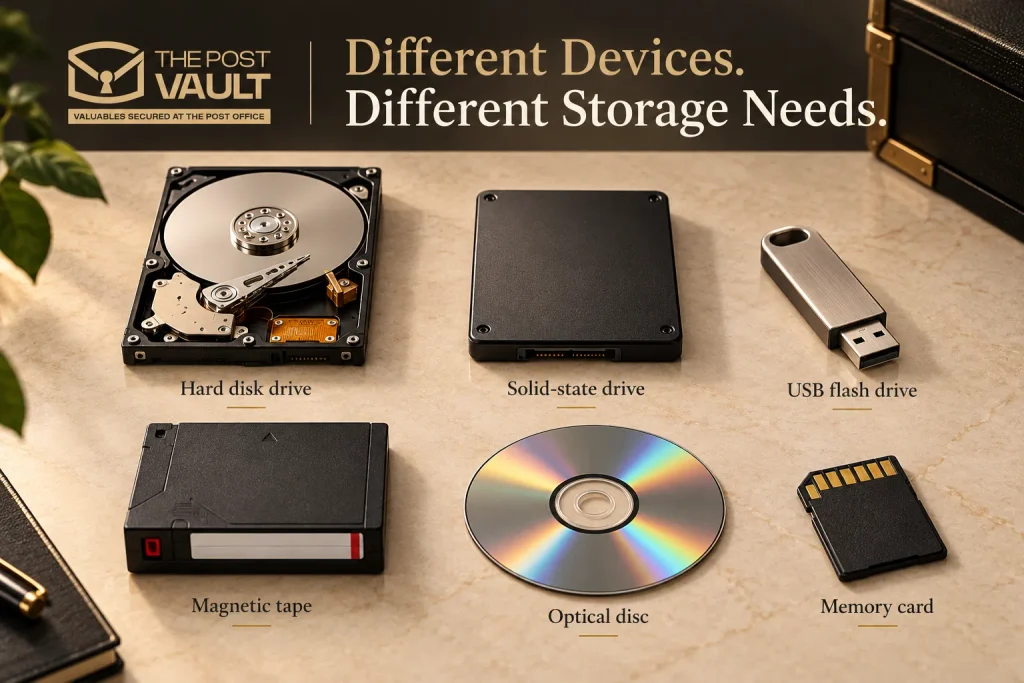
Different storage devices have different physical characteristics and preservation requirements. Before placing any device in a secure facility, check its dimensions, permitted-item status, and manufacturer-recommended storage conditions.
Hard Disk Drives (HDDs)
Hard disk drives are commonly used for storing large amounts of information, including archived files, system images, databases, and backup copies.
Because HDDs contain moving mechanical components, they require careful handling. Physical shocks, unsuitable temperatures, and moisture can affect their reliability.
When storing an external hard drive, disconnect it properly, protect it from impact, and use suitable packaging.
For a backup drive that is not needed regularly, secure off-site storage can reduce exposure to theft or accidental loss at its primary location.
Solid-State Drives (SSDs)
Solid-state drives store information using flash memory rather than moving mechanical components.
They are commonly used for portable storage, data transfers, and system backups. Although SSDs are generally more resistant to mechanical shock than HDDs, they can still be lost, stolen, damaged, or affected by unsuitable storage conditions.
SSDs should not be treated as maintenance-free archival media. Long periods without power, device age, temperature, and flash-memory wear can affect data retention.
If an SSD contains important information, maintain another verified backup and check the stored data periodically.
USB Flash Drives and Memory Sticks
USB flash drives are compact, portable, and convenient for transferring or storing digital files.
Their small size also makes them easy to misplace.
For sensitive information, use appropriate encryption and keep devices in protective cases. Avoid leaving USB drives connected to computers unnecessarily, particularly when they are intended to serve as offline backups.
A private safe deposit box may be suitable for storing permitted USB devices that you don’t need to access frequently.
Magnetic Tapes and Backup Tapes
Magnetic tapes, including Linear Tape-Open (LTO) cartridges, remain in use for business backups and long-term data retention.
They can accommodate substantial amounts of information, but their reliability depends on appropriate handling and storage.
Tape media may have specific temperature, humidity, packaging, and handling requirements. Businesses should follow manufacturer guidance and verify that the chosen storage environment is suitable.
A physically secure vault should not automatically be assumed to provide specialist archival conditions for magnetic tapes.
Optical Discs
CDs, DVDs, and Blu-ray discs may contain archived photographs, legal records, software, or historical information.
Although optical discs are relatively compact, they can be affected by scratches, heat, moisture, and unsuitable handling.
Store them in suitable protective cases and keep additional copies of irreplaceable files where possible.
Memory Cards
Memory cards are commonly used in cameras, mobile devices, and specialist equipment.
Like USB drives, they are small enough to be misplaced easily and may contain valuable personal or professional information.
Keep memory cards in protective cases, encrypt sensitive files where supported, and maintain separate backup copies rather than relying on a single card for long-term preservation.
Where Can You Store Physical Data Backups Securely?
Choosing the right storage location depends on the type of data carrier, the sensitivity of its contents, how frequently you need access, and the environmental conditions the device requires.
Several options are available, each with different advantages.
Private Safe Deposit Boxes
Private safe deposit boxes can provide secure off-site storage for suitable physical backup devices, such as encrypted external hard drives, USB flash drives, memory cards, and other compact media.
Unlike keeping every backup at home or in the office, placing a permitted device in a separate secure facility reduces the chance that a single incident at your primary location will affect both the original data and its backup.
At The Post Vault, we provide private safe deposit boxes with controlled access and physical security measures designed to help protect valuable belongings.
For customers considering secure storage for digital backup devices, it is important to confirm that the media is permitted, fits the available box dimensions, and can be stored under the facility’s environmental conditions.
A safe deposit box provides physical storage; it does not automatically preserve data integrity, update backups, or provide immediate remote access to files.
Home Safes
A suitable home safe can provide convenient storage for backup devices that you need to access regularly.
When choosing a safe, consider its security rating, installation, and whether it provides protection appropriate for electronic storage media.
Not every fire-resistant safe is designed to protect digital devices. Some safes intended for paper documents may allow internal temperatures or humidity levels unsuitable for particular data carriers during a fire.
Home storage is convenient, but keeping your only backup in the same building as your computer can leave both exposed to the same incident.
Secure Office Storage
Businesses may store backup devices in restricted-access rooms, locked cabinets, or dedicated storage areas.
Access should be limited to authorised personnel, with clear procedures for handling, recording, and retrieving devices.
Where possible, critical backup media should be kept physically separate from the systems they protect.
Office storage may be appropriate for regularly updated backups, but a separate off-site copy can provide additional protection against incidents affecting the entire premises.
Trusted Secondary Locations
Another option is to keep an encrypted backup at a separate trusted location, such as another business premises or a family member’s home.
The main advantage is geographical separation from the primary computer or office.
However, the security, accessibility, and storage conditions of the secondary location should be assessed carefully.
For sensitive business information, organisations should also consider who can physically access the device and whether the arrangement meets their information-handling requirements.
Cloud Storage as a Complementary Backup Option
Cloud backup services store digital copies remotely, allowing data to be restored without physically retrieving a storage device.
They can be useful when a computer, server, or local backup is unavailable.
However, cloud storage introduces its own considerations, including account security, service availability, access permissions, and recovery procedures.
Use strong authentication, appropriate encryption, and reliable backup settings.
For important information, cloud storage can complement an encrypted physical backup kept in a separate location.
Can You Store Bitcoin Passwords in a Safe Deposit Box?
Cryptocurrency owners need to protect their Bitcoin passwords, private keys, PINs, and recovery phrases. Losing these details can mean losing access to their funds, while someone else obtaining them could put their digital assets at risk.
At The Post Vault, customers can store permitted physical records containing cryptocurrency recovery information, such as written recovery phrases, metal backup plates, and suitable hardware wallets, subject to box dimensions and storage policies.
A private safe deposit box can provide an additional layer of physical protection by keeping these important items away from your home or workplace.
Precautions for storing cryptocurrency details:
- Keep your credentials confidential: Never share your passwords, private keys, or recovery phrases with anyone.
- Use durable storage materials: Protect written recovery phrases and backup plates from physical damage.
- Store recovery information separately: Consider keeping recovery details separate from your hardware wallet to reduce the risk of losing both together.
- Maintain additional backups: Keep another secure copy in a separate location to reduce the risk of permanent loss.
- Check permitted items: Confirm with The Post Vault that your chosen items are accepted and fit the available box dimensions.
- Plan for wallet recovery: Make sure you understand how to use your recovery information before placing it in storage.
Also Read: Are Safe Deposit Boxes Private or Traceable?
How Should You Prepare Hard Drives and Digital Backups for Storage?
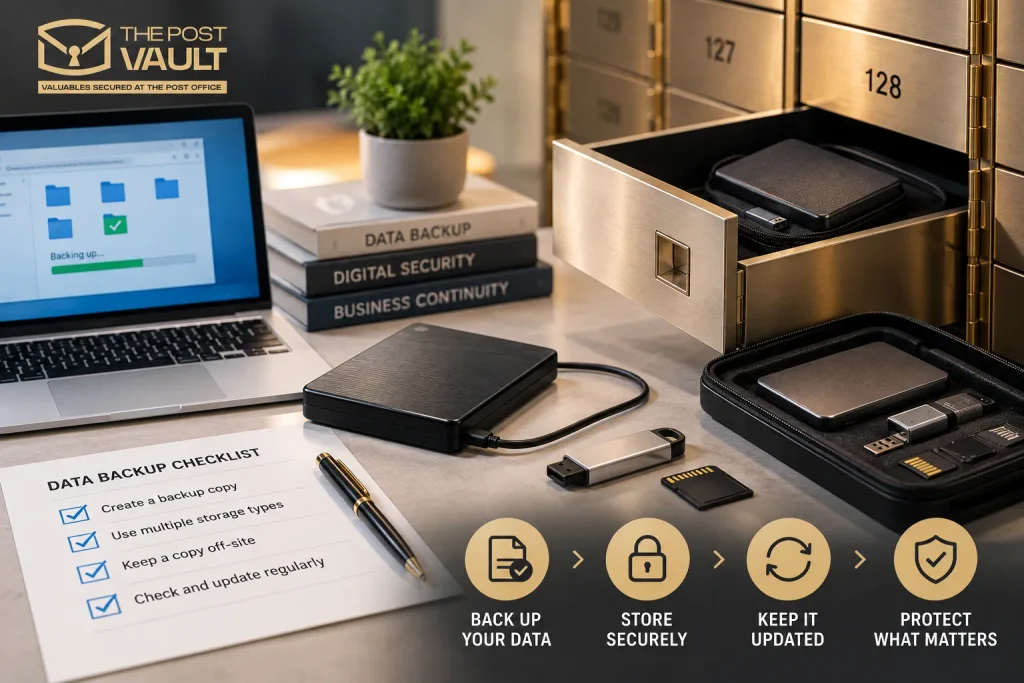
Choosing a secure location is only part of protecting your data. Before storing physical backup devices, make sure they are properly prepared and that the information can be recovered when needed.
1. Encrypt Sensitive Information
Encryption helps protect confidential files if a storage device is lost, stolen, or accessed without authorisation.
Use an appropriate encryption method for external hard drives, USB devices, and other media containing sensitive information.
Keep recovery keys and passwords securely managed. Avoid storing the only recovery credentials alongside the encrypted device.
2. Verify the Backup Before Storing It
A backup is only useful if the information has been copied successfully and can be restored.
Check that important files are present and readable. For critical systems, perform a suitable restoration test rather than assuming the backup process completed correctly.
This helps identify incomplete copies, corrupted files, or other problems before the device is placed into storage.
3. Use Suitable Protective Packaging
Physical storage devices should be protected from unnecessary handling, impact, dust, and moisture.
Use appropriate protective cases and anti-static packaging where recommended by the manufacturer.
For HDDs, avoid physical shocks. For optical discs and memory cards, use cases designed for their formats.
Packaging can reduce handling risks, but it cannot compensate for unsuitable environmental conditions.
4. Maintain a Backup Inventory
Keep a record of the devices you store, including:
- Device type and identifying details
- Backup creation date
- General description of the stored data
- Storage location
- Encryption and recovery arrangements
- Date of the last successful verification
Avoid placing confidential information or passwords on visible device labels.
An accurate inventory can make it easier to locate the correct backup when restoration is required.
5. Plan for Future Access and Updates
Before placing a device in off-site storage, consider how often its contents need to be updated.
If the information changes frequently, a backup that remains untouched for several months may become outdated.
Choose a backup schedule that reflects the importance of the data and how much information you could afford to lose between copies.
What Storage Conditions Do Data Carriers Need?
Physical security and environmental protection are not the same.
A facility may have strong access controls and surveillance systems without providing the specific temperature, humidity, or preservation conditions required by every storage medium.
Different data carriers have different requirements:
| Data Carrier | Important Storage Considerations |
|---|---|
| Hard disk drives | Protection from shock, moisture, and unsuitable temperatures |
| Solid-state drives | Temperature, device condition, and periodic data verification |
| USB flash drives | Physical protection, data retention, and periodic checks |
| Magnetic tapes | Manufacturer-recommended temperature, humidity, and handling |
| Optical discs | Protection from scratches, heat, moisture, and sunlight |
| Memory cards | Suitable packaging, careful handling, and backup verification |
For long-term storage, always consult the device manufacturer’s guidance.
If you’re considering a private safe deposit box, confirm that its storage conditions are appropriate for the specific media you intend to keep there.
For specialist archival requirements, such as tightly controlled environmental conditions for magnetic tapes, a dedicated media preservation facility may be more suitable.
Also Read: Why Do Safe Deposit Centres Ask for ID and Customer Verification?
What’s the Difference Between Offline, Off-Site and Cloud Backups?
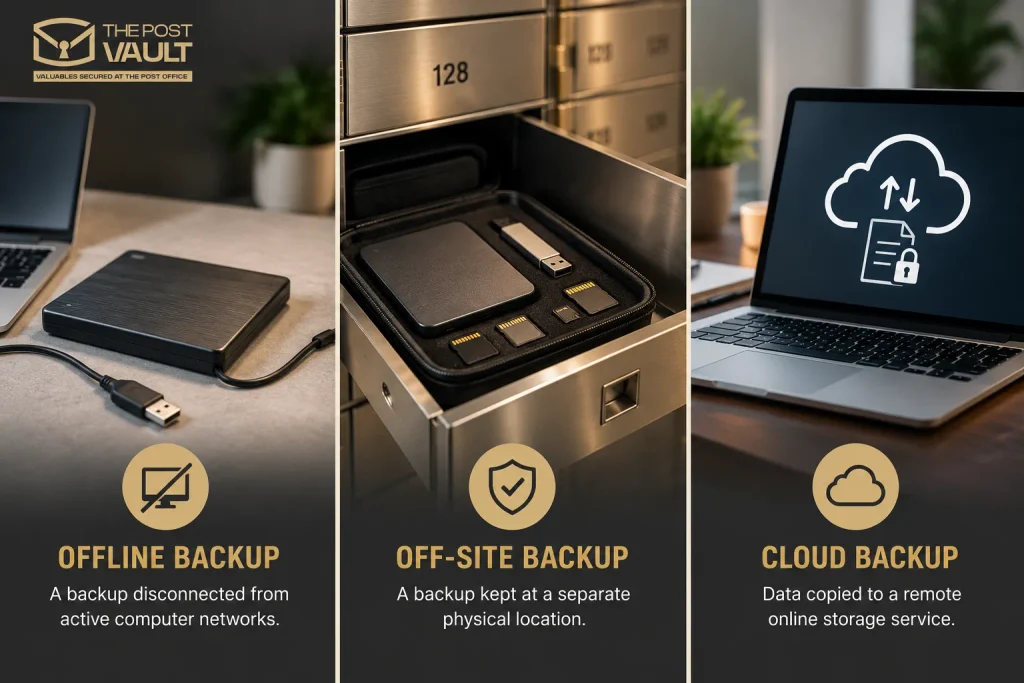
These terms are often used together, but they describe different aspects of data protection.
| Backup Type | What It Means | Example |
|---|---|---|
| Offline backup | A backup disconnected from active computer networks | An encrypted external drive stored disconnected |
| Off-site backup | A backup kept at a separate physical location | A hard drive stored in a private safe deposit box |
| Cloud backup | Data copied to a remote online storage service | An encrypted backup held with a cloud provider |
An external hard drive stored in a private safe deposit box can be both offline and off-site.
This can help reduce exposure to certain network-based attacks while keeping the physical device away from the primary location.
However, offline storage does not guarantee protection against every threat, and off-site storage does not automatically ensure that the data is current or recoverable.
Why Use Multiple Backup Locations?
Relying on a single backup creates an unnecessary point of failure.
A commonly recommended approach is the 3-2-1 backup strategy:
- Keep three copies of important data, including the original.
- Use two different storage media or storage approaches.
- Maintain at least one copy at a separate location.
For example, a business might retain its primary files on an office system, keep a backup through a separate storage service, and maintain an encrypted offline copy at a suitable off-site location.
The exact arrangement should reflect the organisation’s data sensitivity, recovery needs, and operational requirements.
Why Should You Test Digital Backups Before Storing Them?
A backup device may appear physically intact even when the data it contains is incomplete, corrupted, or no longer readable.
Regular verification helps ensure that stored information remains usable.
For important backups, consider:
- Checking whether files can be opened and read.
- Testing restoration procedures where practical.
- Confirming that encryption keys and recovery instructions remain available.
- Reviewing the age and condition of storage devices.
- Replacing unreliable or ageing media.
- Updating backups when important information changes.
The appropriate testing frequency depends on the storage technology, data importance, and recovery requirements.
For business-critical information, backup testing should form part of a documented recovery plan.
How Can The Post Vault Help Protect Physical Data Carriers?
The Post Vault offers secure storage options for valuable belongings, including digital backup devices and important paperwork. Customers looking for safe deposit boxes for documents can also consider storing property deeds, legal records and other irreplaceable papers separately from their everyday belongings.
Our facilities provide local storage options for customers looking for:
Whether you’re considering storing an encrypted external hard drive, USB flash drive, memory card, or other compact backup medium, our available box sizes may accommodate different storage needs.
Before arranging storage, confirm that your device is permitted, fits the chosen box, and is suitable for the available storage conditions.
The Post Vault provides physical safe deposit storage rather than cloud backup, data recovery, or managed digital archiving services.
Also Read: How to Rent a Safe Deposit Box: A Step-by-Step Guide
Explore Secure Storage Options at The Post Vault
If you want to keep important physical backups away from your primary home or workplace, explore the available safe deposit box sizes and rental options at The Post Vault.
Conclusion
Protecting digital information requires more than creating a backup. The physical devices containing that information also need appropriate security, handling, and storage conditions.
External hard drives, SSDs, USB flash drives, magnetic tapes, and other data carriers can be vulnerable to loss, theft, damage, and deterioration. Encryption, verified backup copies, suitable packaging, and regular recovery testing all contribute to stronger protection.
For compact, permitted backup devices, a private safe deposit box can provide an additional layer of physical security by keeping the media separate from the primary data location.
The Post Vault offers private safe deposit storage in Bolton, Chorley, and Preston for customers who want to protect valuable belongings in a dedicated facility.
By combining secure physical storage with reliable backup practices, you can reduce avoidable risks and improve your ability to recover important information when it matters.
Frequently Asked Questions
Where should I store an external hard drive backup?
An external hard drive backup should ideally be stored separately from your primary computer or workplace. A private safe deposit box may be suitable for a permitted, encrypted drive, provided the box dimensions and storage conditions meet the device’s requirements. Maintain another verified copy of important data.
Can I keep a hard drive in a safe deposit box?
A safe deposit box can be suitable for certain external hard drives and other compact data carriers, depending on the provider’s permitted-item policy and storage conditions. Encrypt sensitive data and check the device manufacturer’s recommendations before storing it.
Why should I keep my backup away from my home or office?
Keeping a backup at a separate location reduces the chance that one incident, such as theft, fire, or flooding, will affect both the original data and its backup. Physical separation is an important part of a resilient backup strategy.
What types of data carriers can be stored securely?
Physical storage media include HDDs, SSDs, USB flash drives, memory cards, magnetic backup tapes, CDs, DVDs, and Blu-ray discs. Their suitability for a particular facility depends on size, permitted-item rules, and environmental requirements.
Should I encrypt my external hard drive before storing it?
Yes, encryption is strongly recommended for devices containing confidential or sensitive information. It helps prevent unauthorised access to stored files if the device is lost or stolen. Keep recovery credentials securely managed and accessible when needed.
How often should I check an offline backup?
There is no single testing interval suitable for every backup. The frequency depends on the storage medium, importance of the data, and how quickly it may need to be restored. Periodically verify files, test recovery procedures, and update backups when important information changes.
Can an SSD lose data while in storage?
Yes. SSDs use flash memory, and their ability to retain data without power can be affected by factors such as temperature, age, and previous use. They should not be relied upon as the only long-term copy of important information. Maintain additional backups and verify stored data periodically.
Is a private safe deposit box suitable for long-term digital backup storage?
It may be suitable for some permitted physical backup devices, but long-term suitability depends on the media’s storage requirements and the facility’s conditions. A safe deposit box provides physical security, not a guarantee of data preservation. Always check the device manufacturer’s guidance and the provider’s storage policies.